
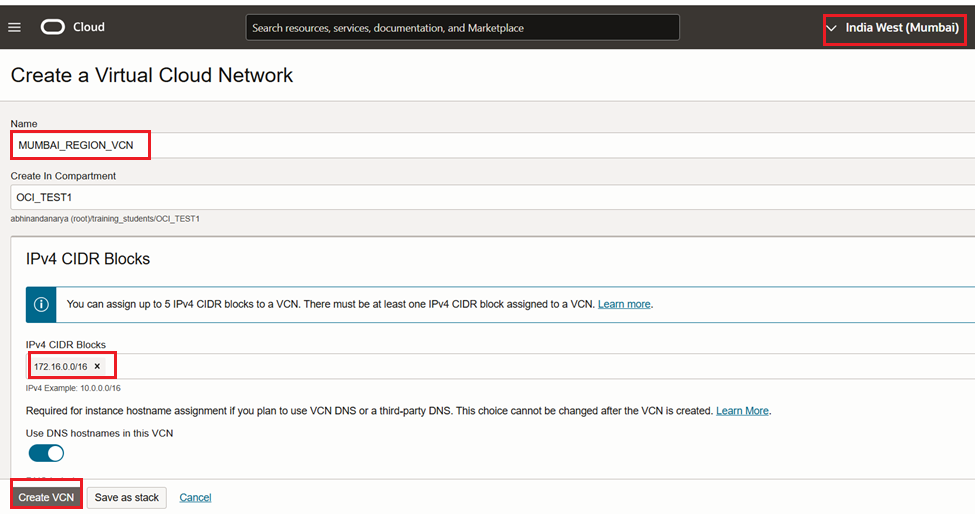
VCN Peering we need to have different CIDR Blocks without overlap, so I choose 10.254.0.0/16 and 172.16.0.0/16 from two different regions Hyd and Mumbai.
| VCN -1 | VCN – 2 | |
| REGION | HYDERABAD | MUMBAI |
| VCN NAME | HYD_REGION_VCN | MUMBAI_REGION_VCN |
| VCN CIDR | 10.254.0.0/16 | 172.16.0.0/16 |
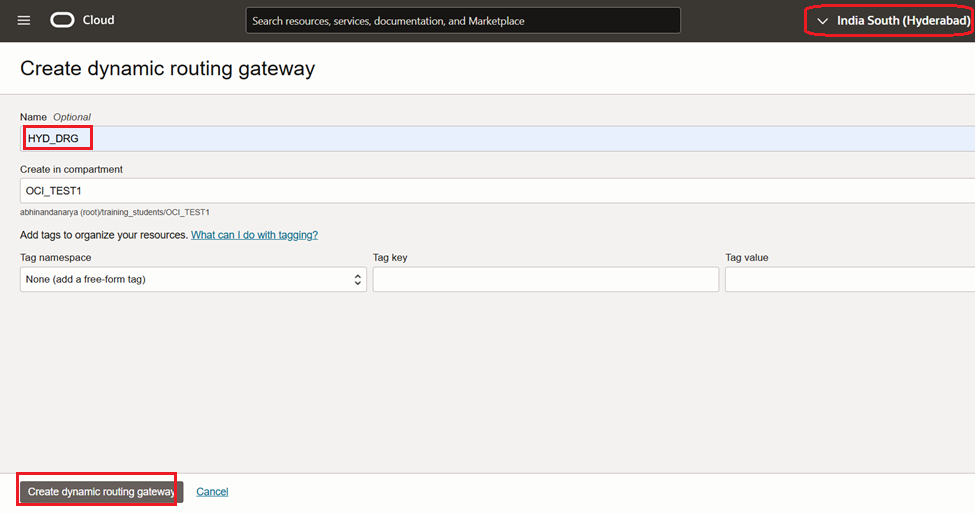
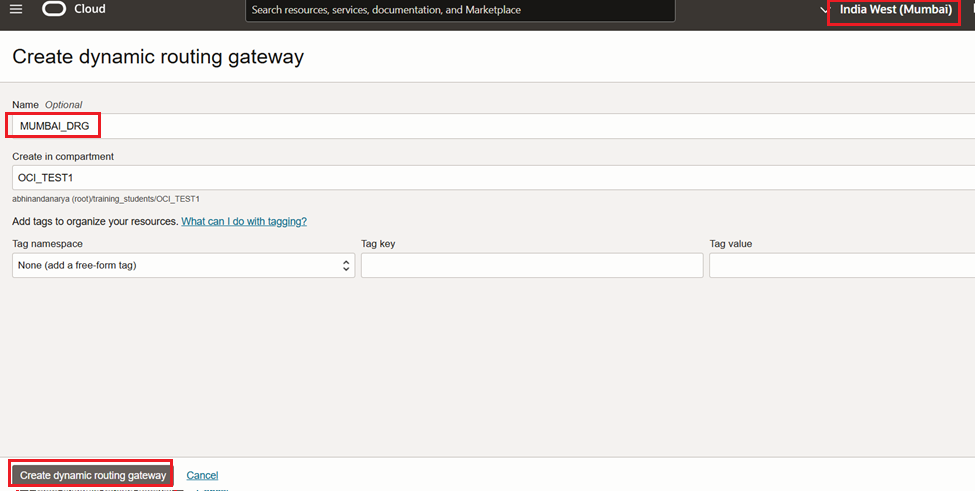
| DRG | HYD_DRG | MUMBAI_DRG |
| RPC | HYD_RPC | MUM_RPC |
Create Two VCNs in Hyderabad and Mumbai Regions with CIDR 10.254.0.0/16 and 172.16.0.0/16

Create Two DRGs in Hyderabad and Mumbai Regions
Create VCN Attachment in both DRGs, pointing to respective VCN.
In HYD DRG

In MUM DRG

Create Remote Peering Connection in both DRG regions.
In HYD DRG, create RPC

In MUM DRG, create RPC

Peering status is in NEW state both the sides

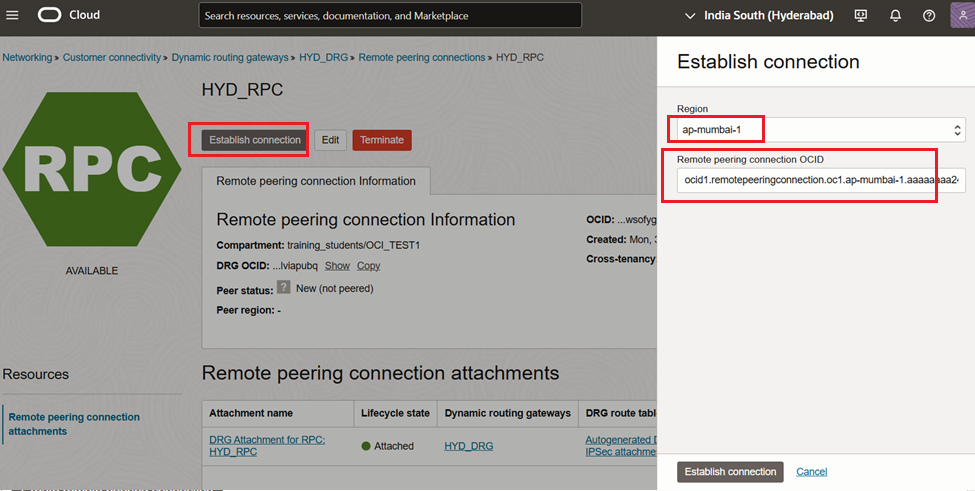
Now establish the peering between two VCNs
Go to any one of the RPC -> Click on Establish connection, provide Mumbai region and OCID of other RPC (Mumbai)
Check the Peering status from both the sides
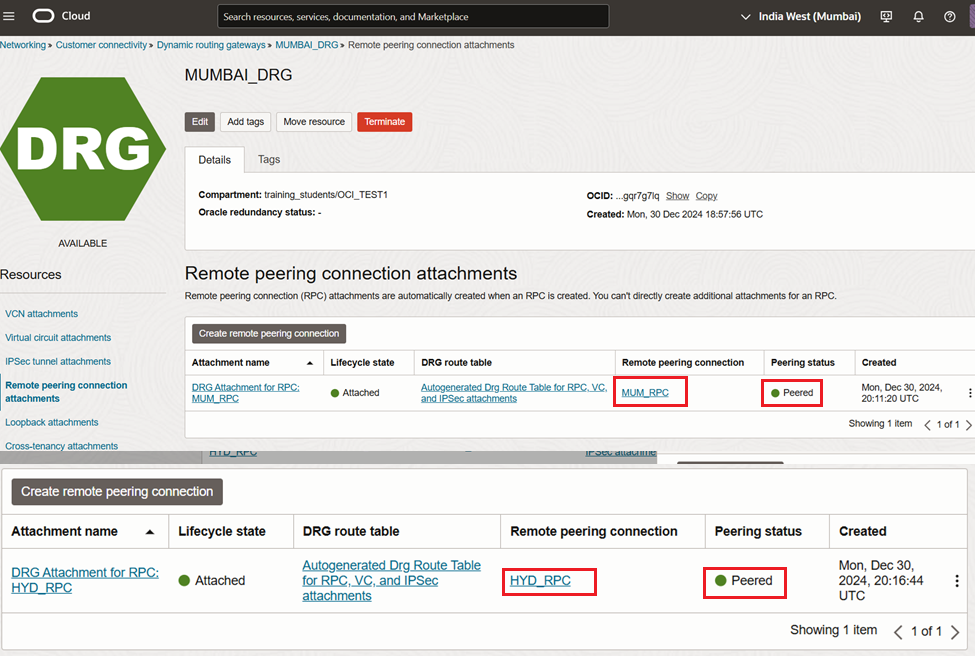
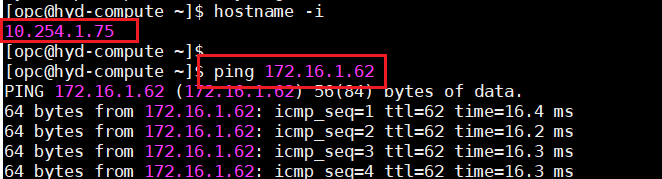
Update the Route Table and Security Rules and Verify the connectivity between VCNs
Established the communication from the CIDR 10.254.0.0/16 to 172.16.0.0/16
Happy Learning !!
 ORACLE CLOUD DBA BLOG