
Let us see how to create the file storage service in the Oracle Cloud (OCI) and mount it via NFS to the Linux VM.
We can create a shareable file system using FSS to make it highly available.
File System Storage Service
Oracle Cloud Infrastructure File Storage Service provides a durable, scalable, distributed, enterprise-grade network file system. You can connect to a File Storage Service file system from any bare metal, virtual machine, or container instance in your Virtual Cloud Network (VCN). You can also access a file system from outside the VCN using Oracle Cloud Infrastructure FastConnect and Internet Protocol security (IPSec) virtual private network (VPN).
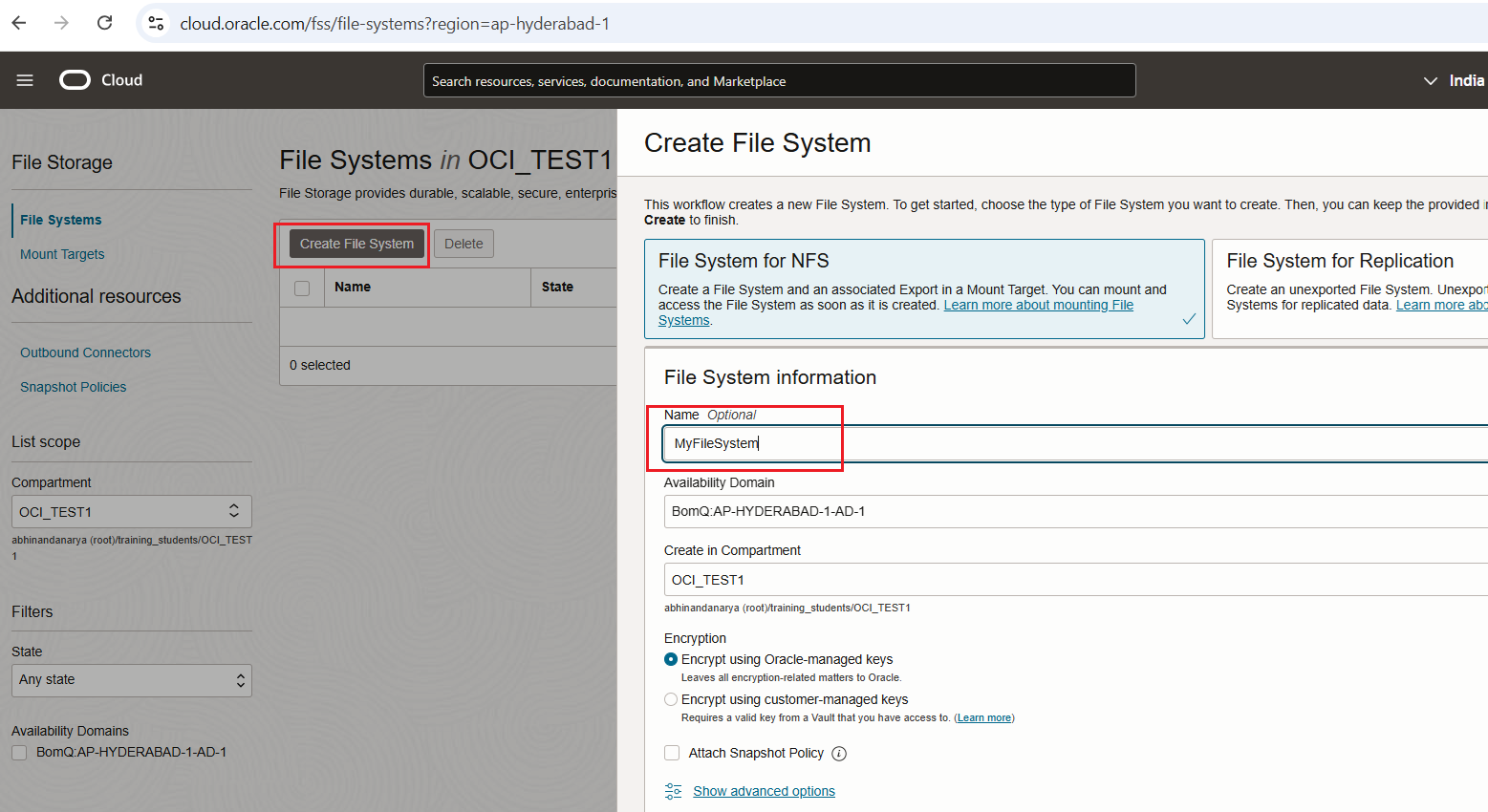
Create the file system service in the Oracle Cloud. Navigate to: Storage -> File Systems. Click “Create…”

Provide File System Name
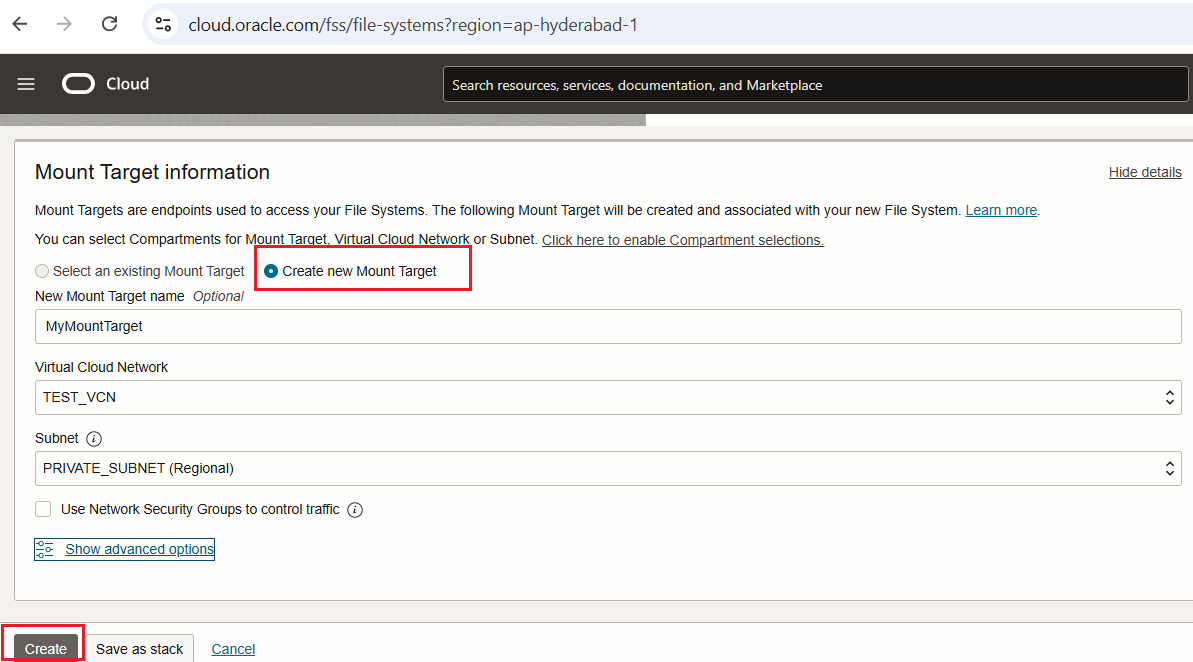
Create New Mount Target and provide Mount Target Name
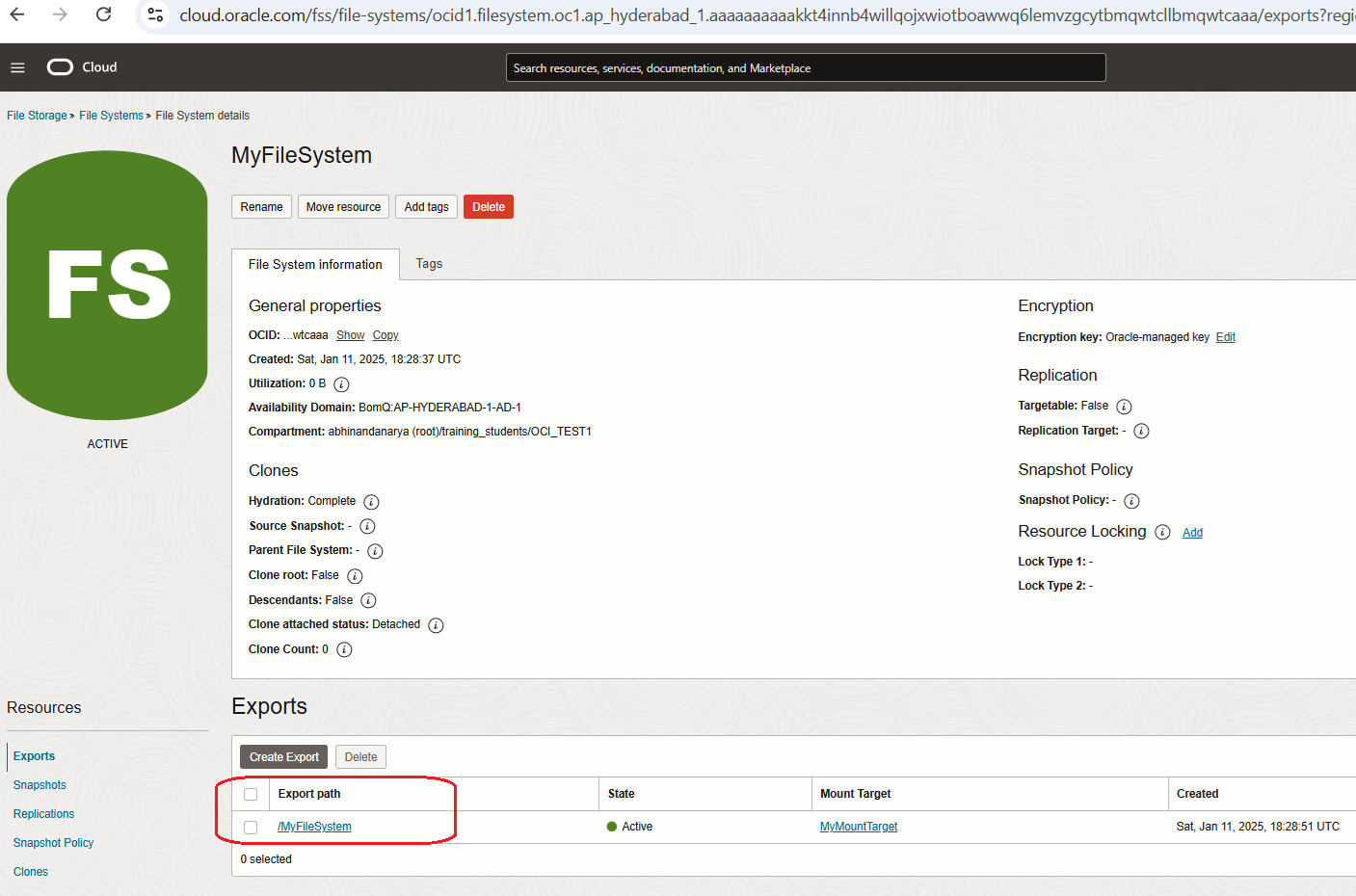
Now File System is created. Go to Export Path
As per the Mount commands in Export Path, update the subnet security list ingress and egress rules
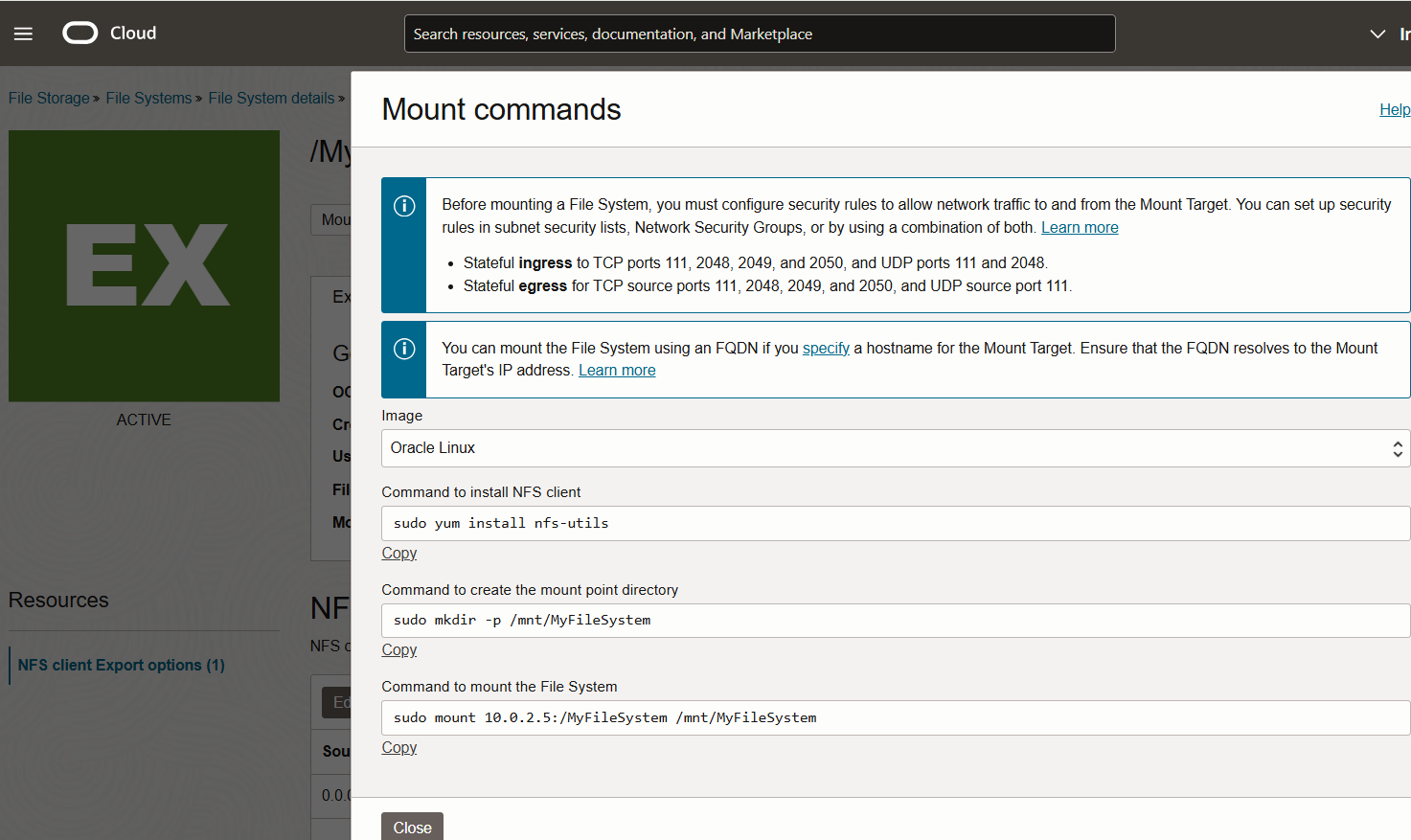

Install nfs utils and mount the file system
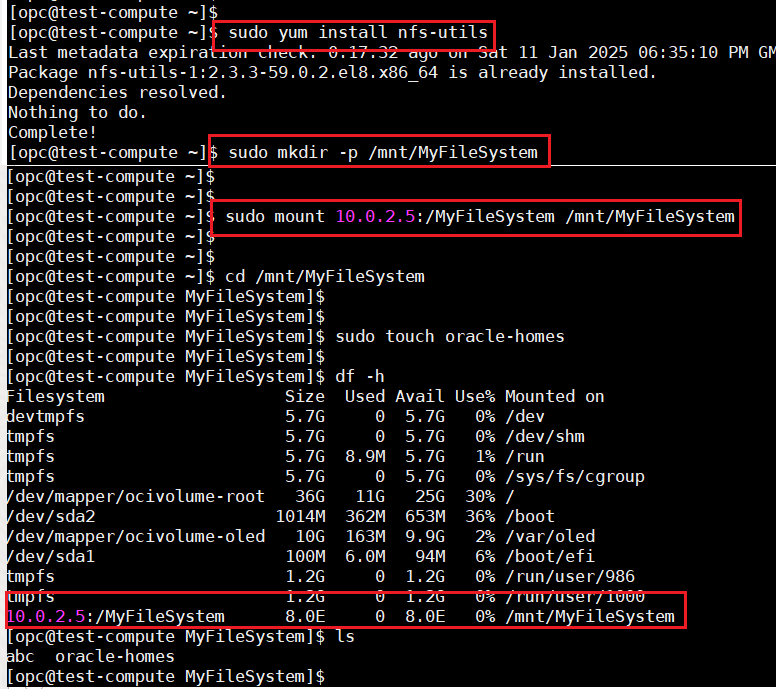
The file system has been mounted via NFS protocol and can now be used.
Happy Learning !!
 ORACLE CLOUD DBA BLOG