
OCI Console -> MENU Networking -> Virtual Cloud Networks. Click Create Virtual Cloud Network (VCN) .

Provide VCN Name and Compartment
Choose a CIDR block – 10.0.0.0/16

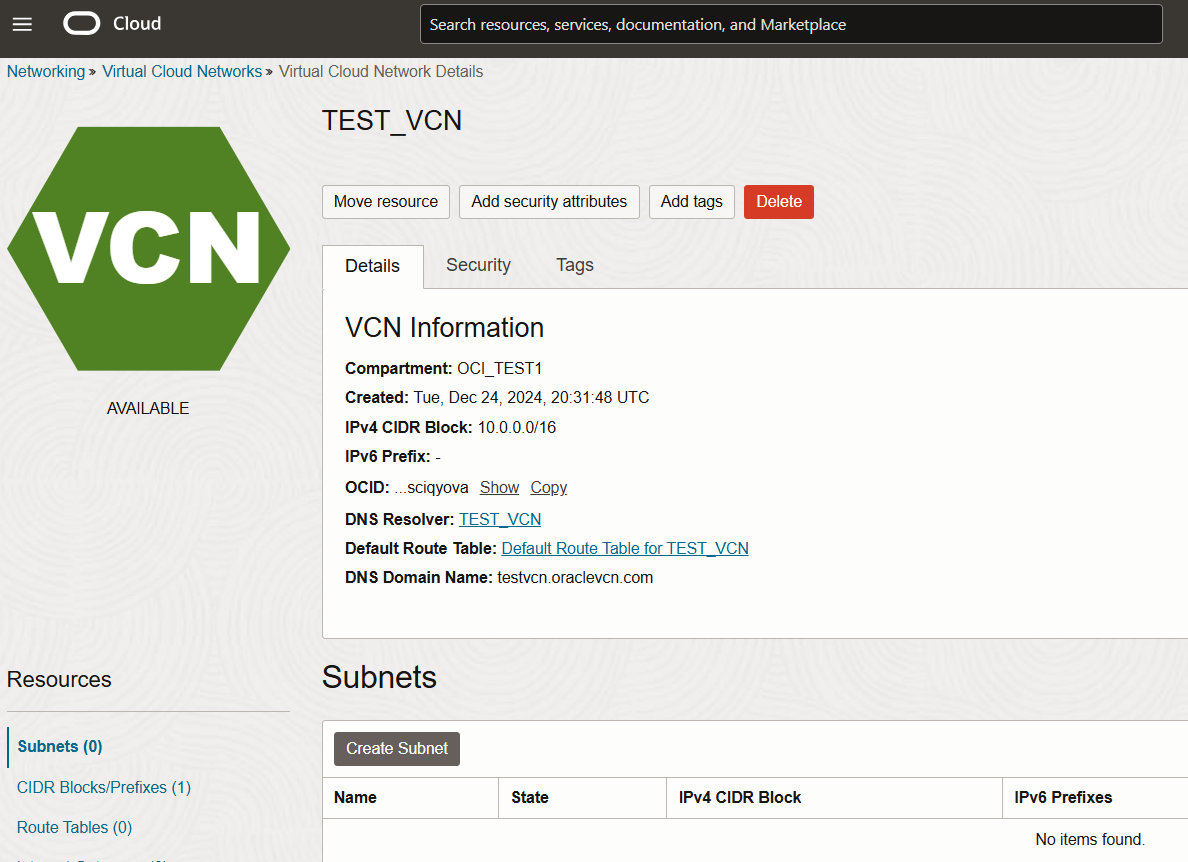
VCN Creation is completed successfully. will work on subnet creation.
Create Public Subnet
TEST_VCN -> Create Subnet
Provide Subnet name and choose compartment
Choose a CIDR block – 10.0.1.0/24

Choose Public Subnet Access and Create Subnet


Private Subnet Creation:
TEST_VCN -> Create Subnet
Provide Subnet name and choose compartment
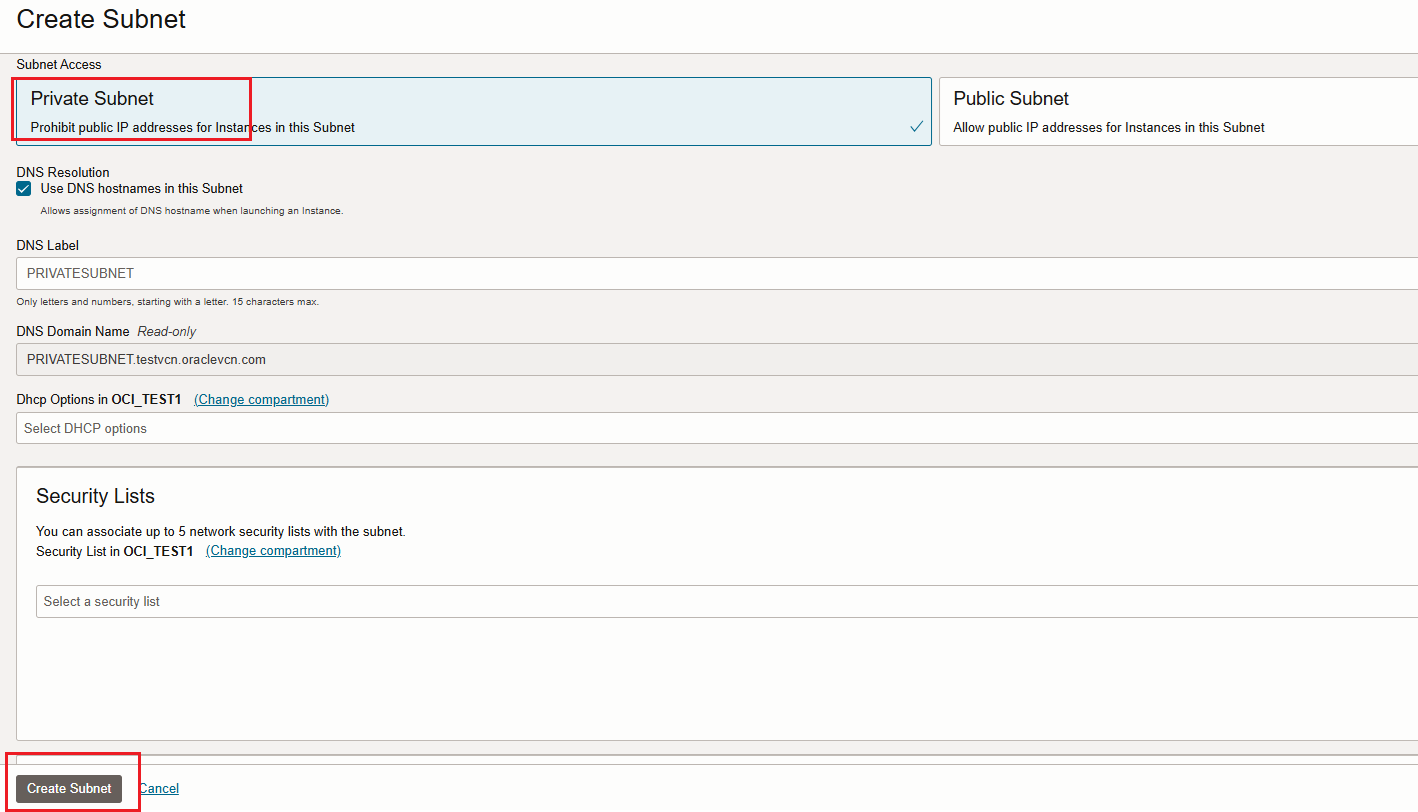
Choose a CIDR block – 10.0.2.0/24

Choose Private Subnet Access and Create Subnet
Review below VCN and Public and Private Subnet details

Thank you !
Happy Learning !!
 ORACLE CLOUD DBA BLOG